Fewer colours, stronger images.
Wodblok turns photos and artwork into bold, low-colour images, then lets you build patterns and finished prints from them. Split a picture into precise tonal bands, choose your inks, and add the texture of real printing, ready for screen, risograph and block print.
Colour bands
Bring in a photo and Wodblok splits it into a few flat colours, like the inks of a screen print. Choose how many bands, take the colours from the picture or from your tray, and shape each band until it looks right. Everything here was made in Wodblok.
Features
Print effects
Paper texture, misregistration, halftone, ink bleed and more make it look printed. Tune each one, or switch it off.
Colour
Palettes and colourways. Recolour a whole design in one go.
Randomize
Something new in one click. Keep what you like and let the rest change.
Export
PNG, SVG, PDF, print-ready TIFF and CMYK. You can even export 3D models and print your own stamps.
Pricing
Monthly
$9.99 / month
- All of Wodblok
- Every feature and every export
- Every update as it lands
Yearly Save 25%
$89.99 / year
- All of Wodblok
- Every feature and every export
- Every update as it lands
Every plan starts with a 7-day free trial. Cancel whenever you want. Prices are in US dollars, and tax may be added at checkout.
Open WodblokQuestions
Is Wodblok finished?
Not yet. It's out and it works, but I'm still building it, and new things land every week (see What's new). Every plan includes all of them.
Will my old projects still open?
Not always, and I'd rather say so up front. While Wodblok is in early access, some updates change how projects are saved, and a project (or a saved stamp file) saved before one of those won't open after it. If there's something you want to keep, export it too (PNG, SVG or PDF), and you'll always have the picture.
What happens when early access ends?
Whatever you've already paid for stays as it is. When your month or year runs out after early access ends, it renews at the full price: $9.99 a month or $89.99 a year.
Can I sell what I make?
Yes. What you make is yours, including patterns made with the built-in shapes, colours and textures. Sell it, print it, put it on a mug. The details are in the Terms.
What happens after the free trial?
Your plan starts and renews each month or year until you cancel. Cancel before the trial ends and you pay nothing.
Can I get a refund?
Yes, within 14 days of any payment, no reason needed. See Refunds.
Become a tester
If you'd like to help me build Wodblok, apply to be a tester. Tell me a bit about yourself and what you make, and if it's a good fit you'll get free access for all of early access.
I want artists from all kinds of backgrounds, skills and experience. If you're up for it, I'd love to watch you use it on a video call or a recording. That's how it gets better.
What's new
- Nov 24Text boxes are easier to work with: a lock on the text size keeps letters the same size when you resize the box, text sits right on the box edges at zero margin, justified text fills every line, and the typing cursor works properly on curved and wavy text, when you delete everything, and while you use the Text panel.
- Nov 24Drop shadow, Glow, Outline, Inner shadow, Emboss and Highlight are now Effects you can put on any element (a new Style group in the Effects menu and Effect library, with presets), instead of settings in the Text panel; older projects convert their text effects when opened.
- Nov 24The element libraries (shapes, stamps, patterns, sheets, pictures, effects) can show a list instead of a grid, with a small picture and the name of each item, and the Text panel's font menu now shows your folders, Favourites and the font groups, with stars you can click and a search at the top.
- Nov 23Typing on the canvas feels right: the cursor and selection sit exactly between the letters you see, clicking, dragging, double-clicking and the arrow keys go where you expect, and you can resize a text box while typing. Text grows and shrinks smoothly as you drag its Size slider or a box handle, menus stay open while you hover their options, and Highlight is now a text effect like Outline, with padding, opacity and colour.
- Nov 23Right-clicking the selected element now opens the menu for it, even when another element is on top, and right-clicking a row in the Elements list opens that row’s … menu.
Who makes this
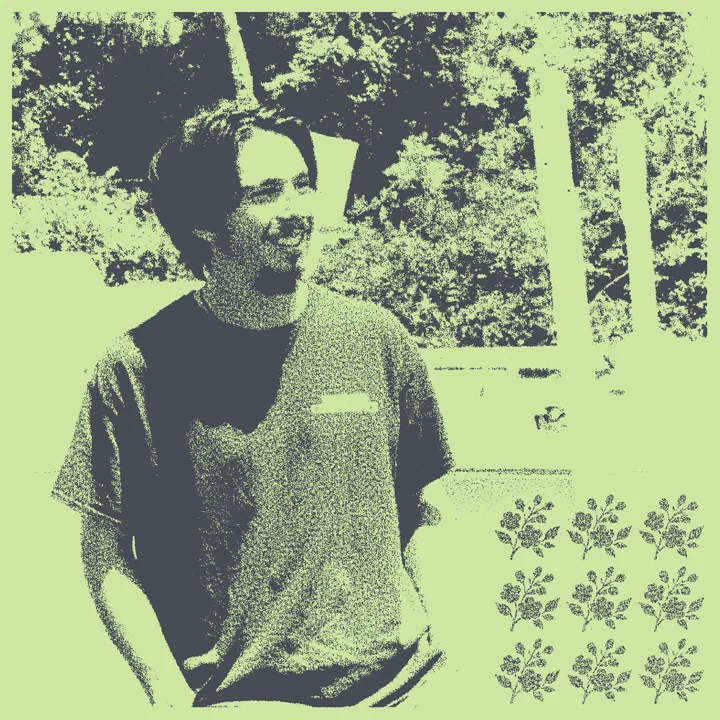
Hi, I'm Devin. The most important thing to know about me is that I'm a Christian. I love Jesus and I love His church. He saved me from so much, and I'm so thankful to Him for giving me life and love.
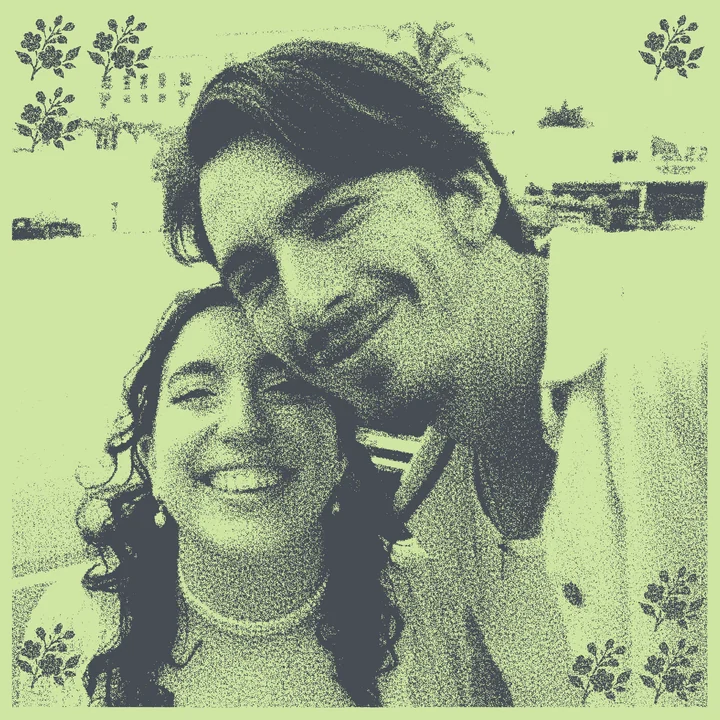
I'm a husband to my amazing wife, Carmella (such an awesome chick). I'm an airboat captain, a musician in Bloodboughtbride, the author of Scribe, and a photographer alongside my wife at Free Indeed Film. And, obviously, I make Wodblok. I'm originally from New Hampshire, and now I live in Miami.
I started designing Wodblok to make covers for a book series I was working on. I just kept adding features until I realised this was kind of an actual product. Some friends tested it, I felt led by the Holy Spirit to keep working on it, so I did, and I've worked on it nearly every day for months now. Such a fun project!
I really hope you like it. Email me with any questions or feedback, I'd love to hear what you think. Love you!